


AI invoicing Snap the job.
Send the invoice.
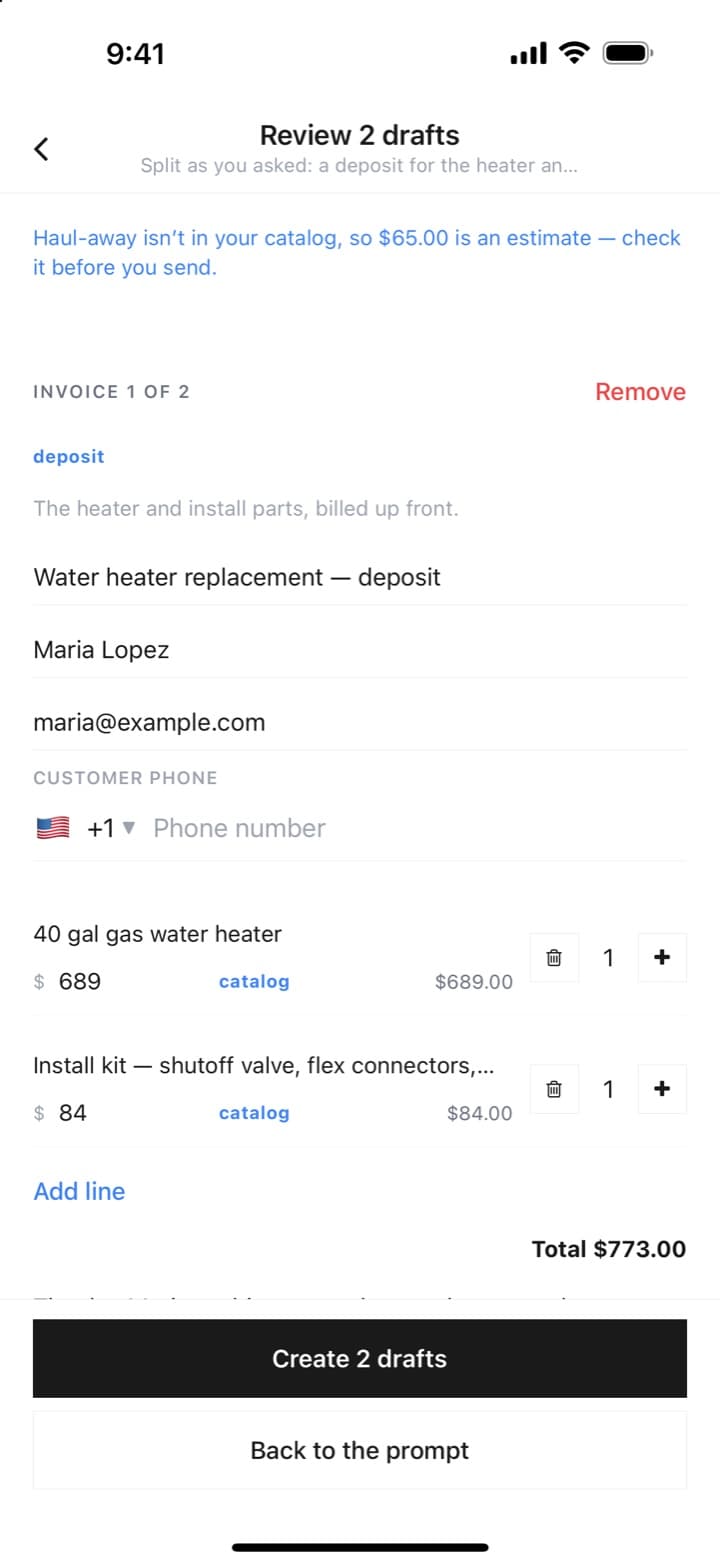
Take a few photos, say what you did the way you'd text it, and Paybrain drafts the invoice from your own price list — right on your phone. Check it, send it, and get paid before you're back in the truck.
- Your catalog prices, exactly — anything it guessed is flagged
- One job split into a deposit and a final, if you ask
- Nothing is saved or sent until you say so
Invoicing & recurring
Get paid, then deliver — automatically.
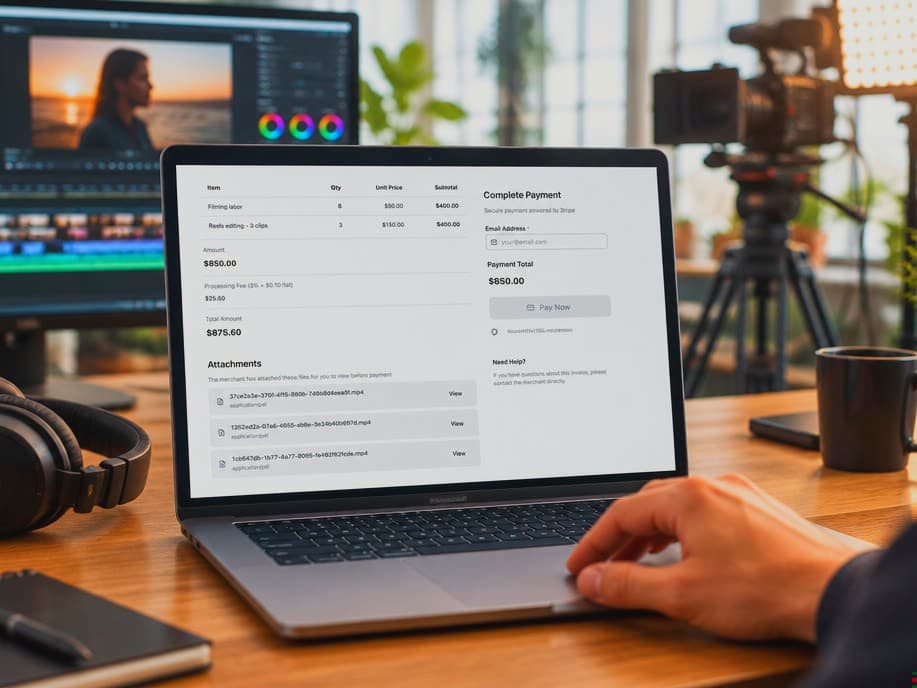
Send a branded invoice from your phone or browser. Lock the finished work behind it. The moment the client pays, the files unlock, the download link goes out, and your phone buzzes.
Invoices with line items and a branded pay page
Files and links that stay locked until payment
Recurring autopay — by link, QR, or a card tap on your phone
AI invoicing on the web
Or draft it at your desk.
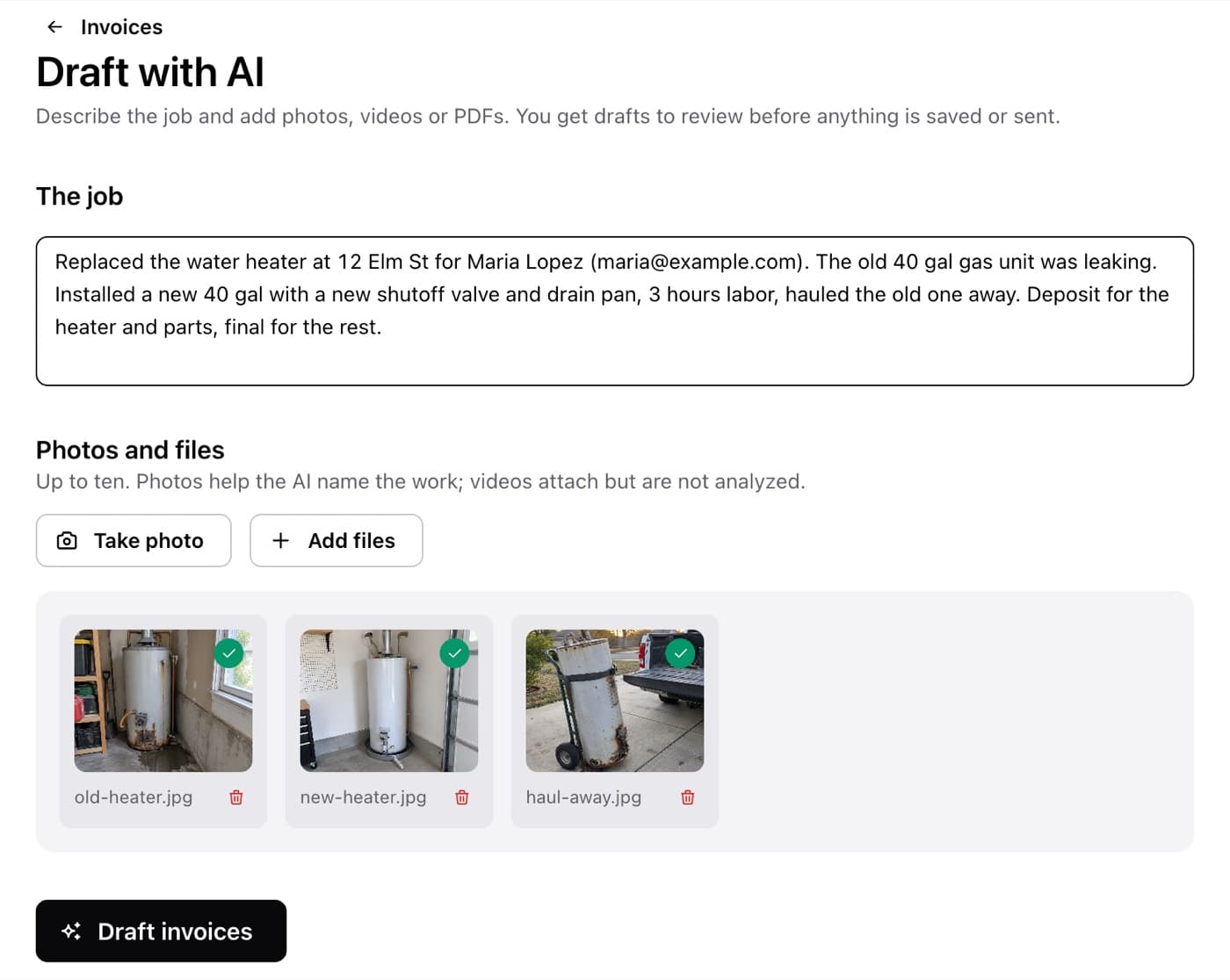
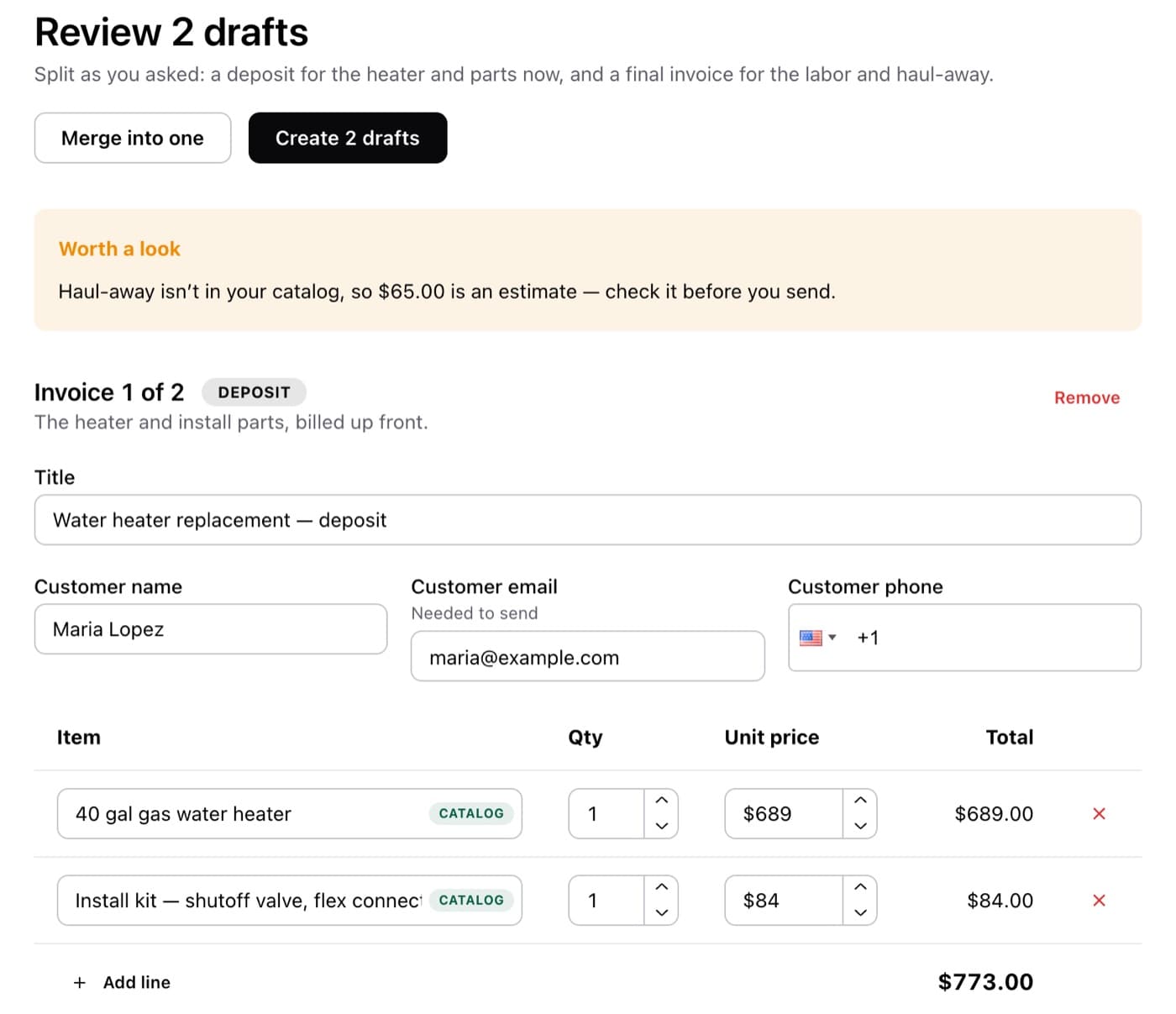
The same AI invoicing works in your browser: describe the job, drop in the photos or a PDF, and review the drafts — priced from your own catalog, split into a deposit and a final if you ask. You check every line before anything is saved or sent.
Catalog prices, exactly — anything it had to guess is marked as an estimate
One job or several invoices — a deposit now, the final when it's done
Photos land on the right invoice, shown to the customer or kept to yourself
On the web or in the Paybrain app — snap the photos on site
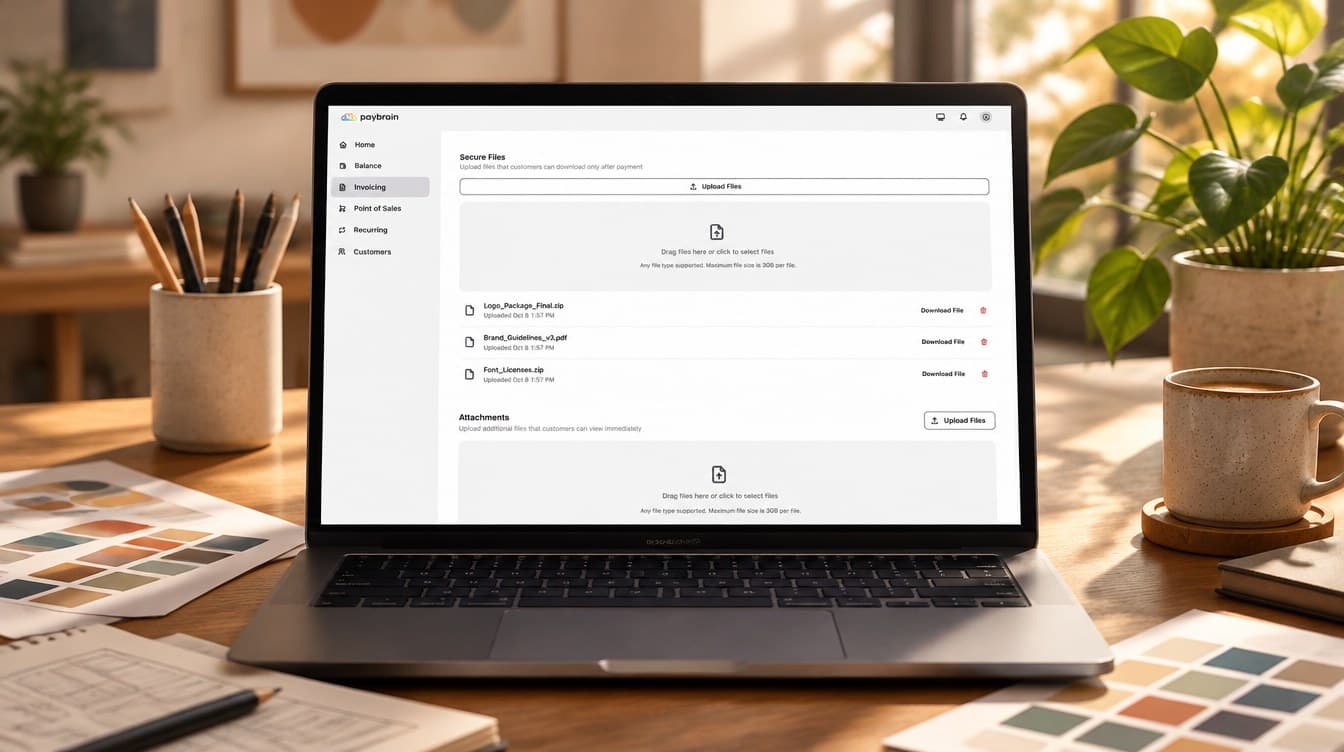
The files wait for the money.
Attach previews the client can open now — and lock the finals and private links behind payment. The server keeps them sealed until the invoice is paid, then unlocks them instantly and emails the download link. No more "I'll send it once the check clears."
Locked files and links, enforced server-side Premium
Any file type — up to 3 GB per file on Premium
Clients can send files back after paying, too
It chases, you don't.
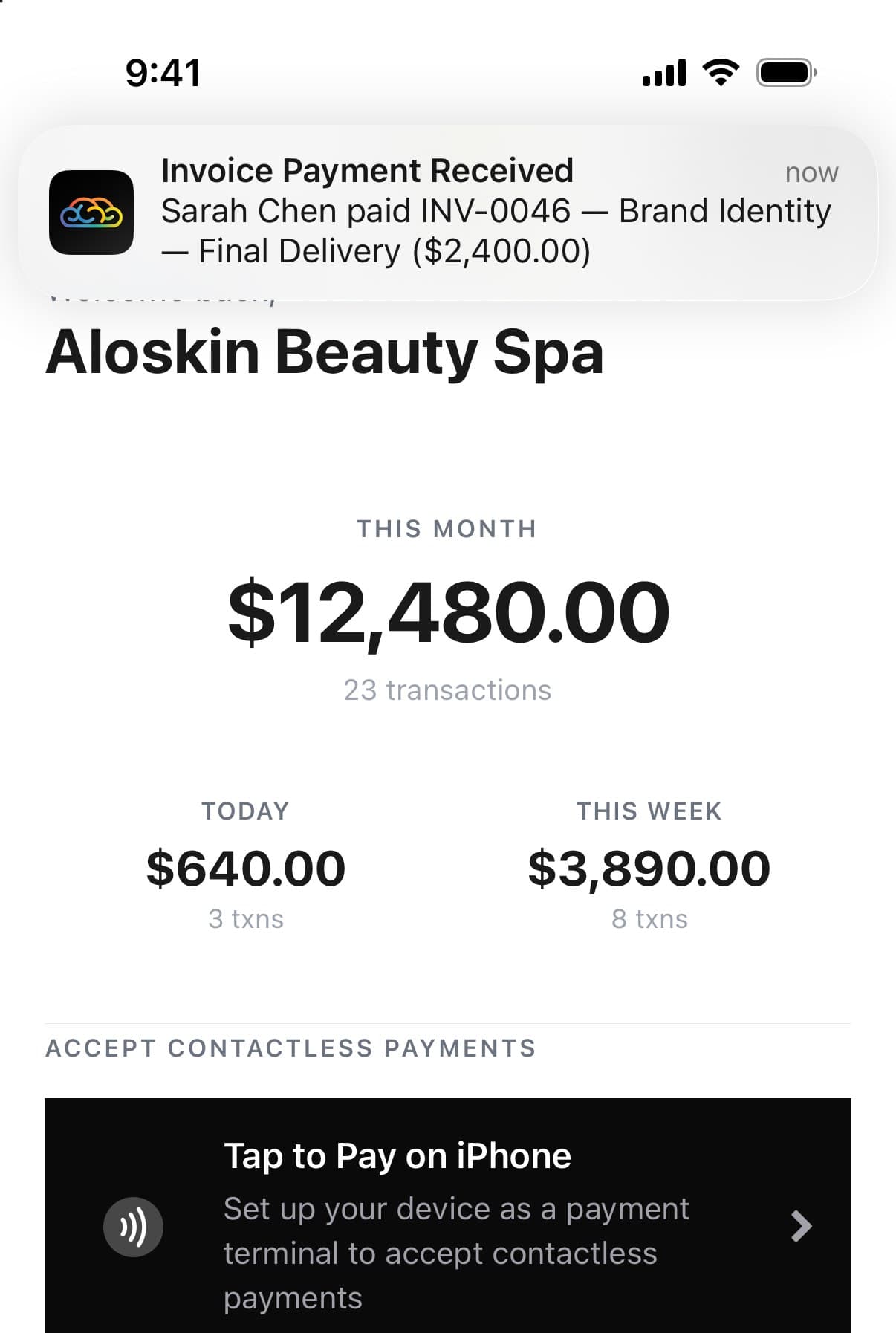
Unpaid invoices get reminded at 3, 7 and 14 days — politely, from the system, not from you. Failed payments get retry nudges. And when the money lands, your phone tells you before the client does.
Automatic reminders on unpaid invoices
Cards and wallets at a secure Stripe checkout
Push notification the moment an invoice is paid
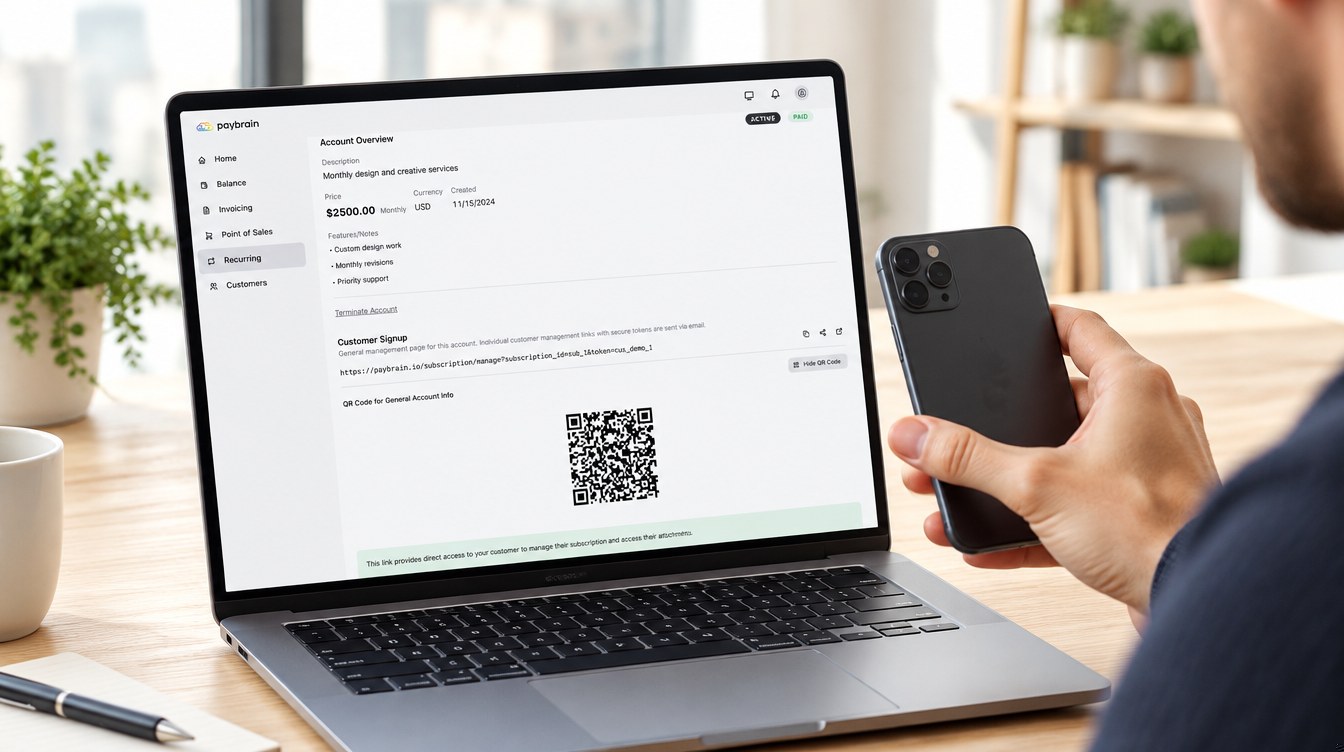
Retainers on autopilot.
Set up weekly, monthly, quarterly or yearly autopay in about a minute. The client signs up from an email link or a QR code — or taps their card on your phone, right there — and the billing runs itself, receipt every cycle.
Card on file from day one, charged automatically
Sign-up by email link, QR code, or Tap to Pay on your phone
Receipts every cycle; clients can cancel themselves
The whole office, in your pocket.
Everything above works from the Paybrain app — build the invoice, attach the files from your phone, send it from the job site, and get the paid-buzz on the drive home. On the App Store and Google Play.
Bill like the big shop.
Free to start — invoicing is included with every account. Pay only processing on what you collect.